Altegio Integration
What the AI can do
Summary
Altegio Integration connects Altegio (appointment booking and business management SaaS) with Newo Platform.
It enables:
- Loading Altegio services and staff into the agent prompt context
- Checking live Online Booking availability by service, staff member, and date
- Creating public Online Booking appointments
- Cancelling Newo-created appointments through the public cancellation endpoint
- Rescheduling Newo-created appointments after validating the replacement slot
- Looking up existing CRM appointments by phone number when Business Management authorization is configured
- Publishing Altegio-specific appointment scenarios, intent types, and procedures into the Newo Canvas
This integration is designed for salons, clinics, studios, and other appointment-based businesses using Altegio that need AI-assisted booking, appointment lookup, cancellation, and rescheduling through chat or voice.
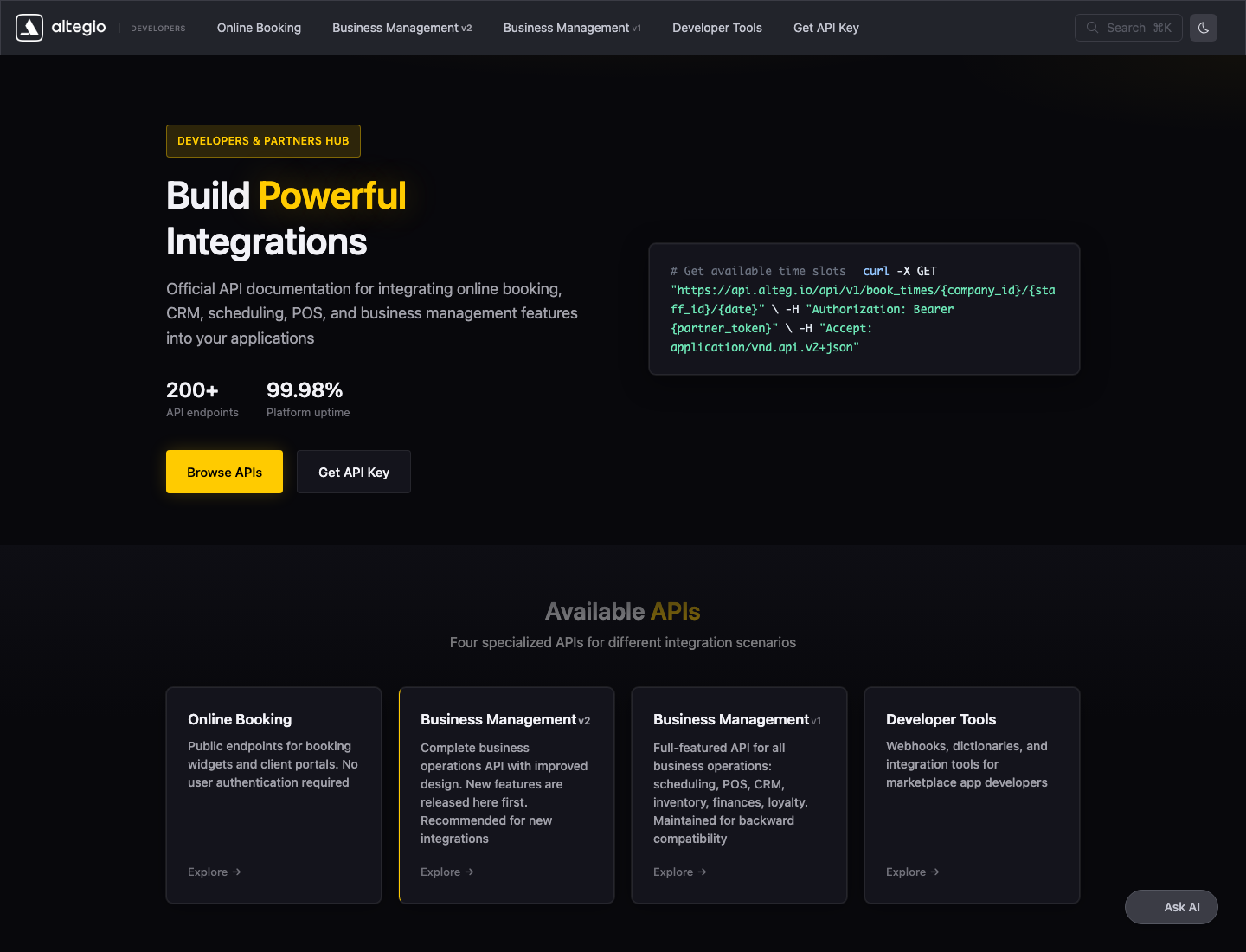
Figure S01. Official Altegio developer documentation showing available API surfaces.
Common use cases
- When a customer asks for available times -> Check Altegio availability and return bookable slots
- When a customer confirms one offered slot -> Validate the slot and create an Altegio booking
- When a customer wants to cancel a Newo-created appointment -> Cancel it in Altegio and remove it from local booking storage
- When a customer wants to move a Newo-created appointment -> Validate the replacement slot, fetch the current record, and update the appointment
- When a customer asks about existing appointments -> Search Altegio CRM by phone and show upcoming matching records
- When the integration is published -> Register custom tools, refresh location options, and refresh the service/staff cache
Features at a glance
| Feature | Supported | Notes |
|---|---|---|
| Location discovery | ✅ | Loads marketplace app locations into the altegio_location_id dropdown. |
| Service and staff cache | ✅ | Refreshes compact service/staff data on publish, session start, conversation start, or manual refresh. |
| Check availability | ✅ | Uses book_dates first, then book_times for exact staff/date availability. |
| Create booking | ✅ | Uses book_check before book_record; stores compact booking metadata in persona bookings. |
| Phone confirmation retry | ✅ | If Altegio asks for a confirmation code, the pending booking payload is stored and retried with code. |
| Cancel booking | ✅ | Automatic only for Newo-created bookings with stored record_id and record_hash. |
| Reschedule booking | ✅ | Automatic for Newo-created bookings with record/service/staff/location data and a configured User Token. |
| Existing appointment lookup | ✅ | Searches CRM clients by phone, then upcoming records for the matched client. |
| Canvas setup | ✅ | Adds Altegio-specific intent types, scenarios, and procedures; removes conflicting default NAF scheduling items. |
| Standard NAF booking tools | ❌ | check_availability_tool, create_booking_tool, and cancel_booking_tool are disabled overrides. Custom Altegio tools are used instead. |
| Legacy CRM cancellation | ❌ | B2B/legacy appointments without public record_hash are routed to human handoff. |
| Webhooks | ❌ | Not implemented; inbound payload/security model still needs confirmation. |
| Historical data import | ❌ | The integration searches only the configured future appointment window and locally stored Newo bookings. |
2. Official API Surfaces Used
Altegio separates public Online Booking APIs from private Business Management APIs.
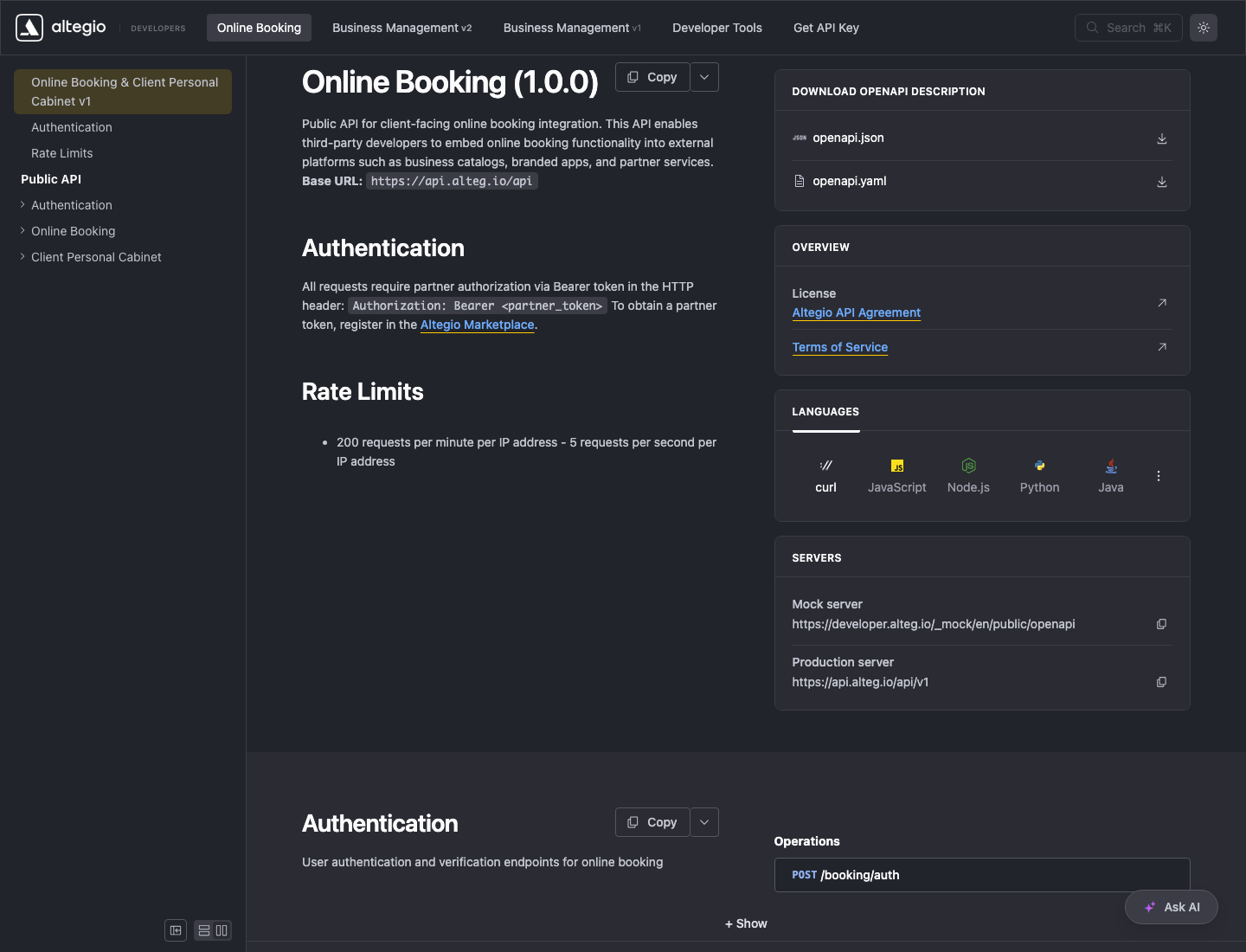
Figure S02. Official Online Booking documentation: public endpoints use partner bearer authorization.
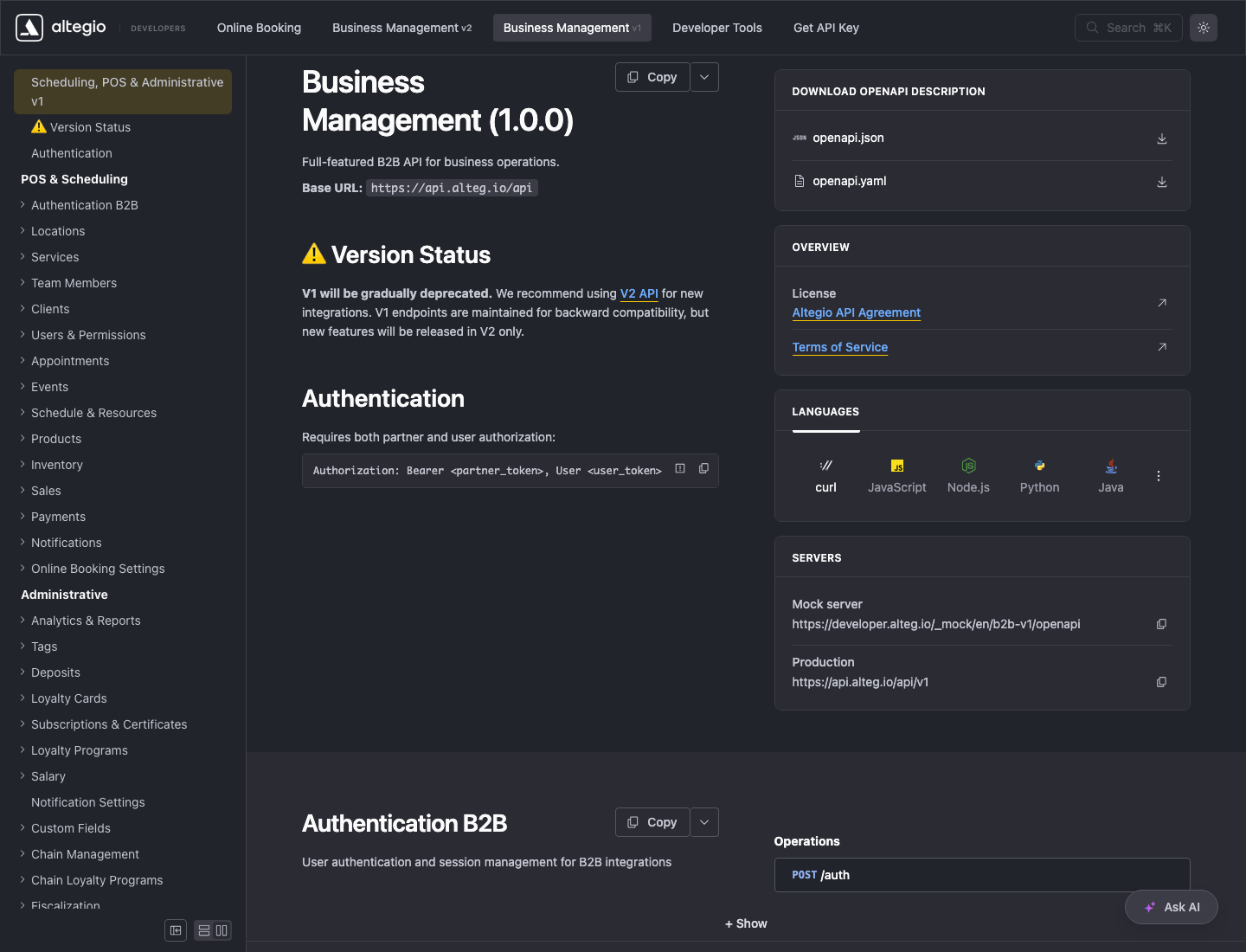
Figure S03. Official Business Management v1 documentation: B2B endpoints require partner plus user authorization.
Official references:
Before You Start
Before installation:
- Active Altegio account with marketplace/developer API access
- Partner Token from the Altegio marketplace application
- Numeric Marketplace Application ID used for location discovery
- Connected Altegio location selected in the generated Location dropdown
- User Token if using existing appointment lookup or automatic rescheduling
- User Token permissions for clients and appointment records in the selected location
Public Online Booking calls use:
Authorization: Bearer <partner_token>
Business Management calls use:
Authorization: Bearer <partner_token>, User <user_token>
The integration does not use username/password credentials. Configure altegio_user_token directly.
Setup
Create the Newo project
If this project already exists in Newo Builder, skip this subsection and continue with the integration-specific settings below.
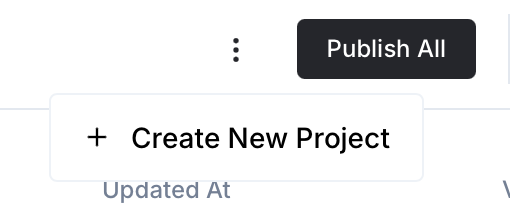
- In Newo Builder, open the projects list and click Create Project (or Create New Project from the top-right menu).
- Fill IDN and Title. The exact names do not matter; use any clear names your team will recognize.
- In Registry, choose the release channel:
- staging — the newest module fixes appear here first. Use it when you need the latest fix, but expect possible unfinished changes.
- production — the final stable version for live projects.
- In Module, select the module for this integration.
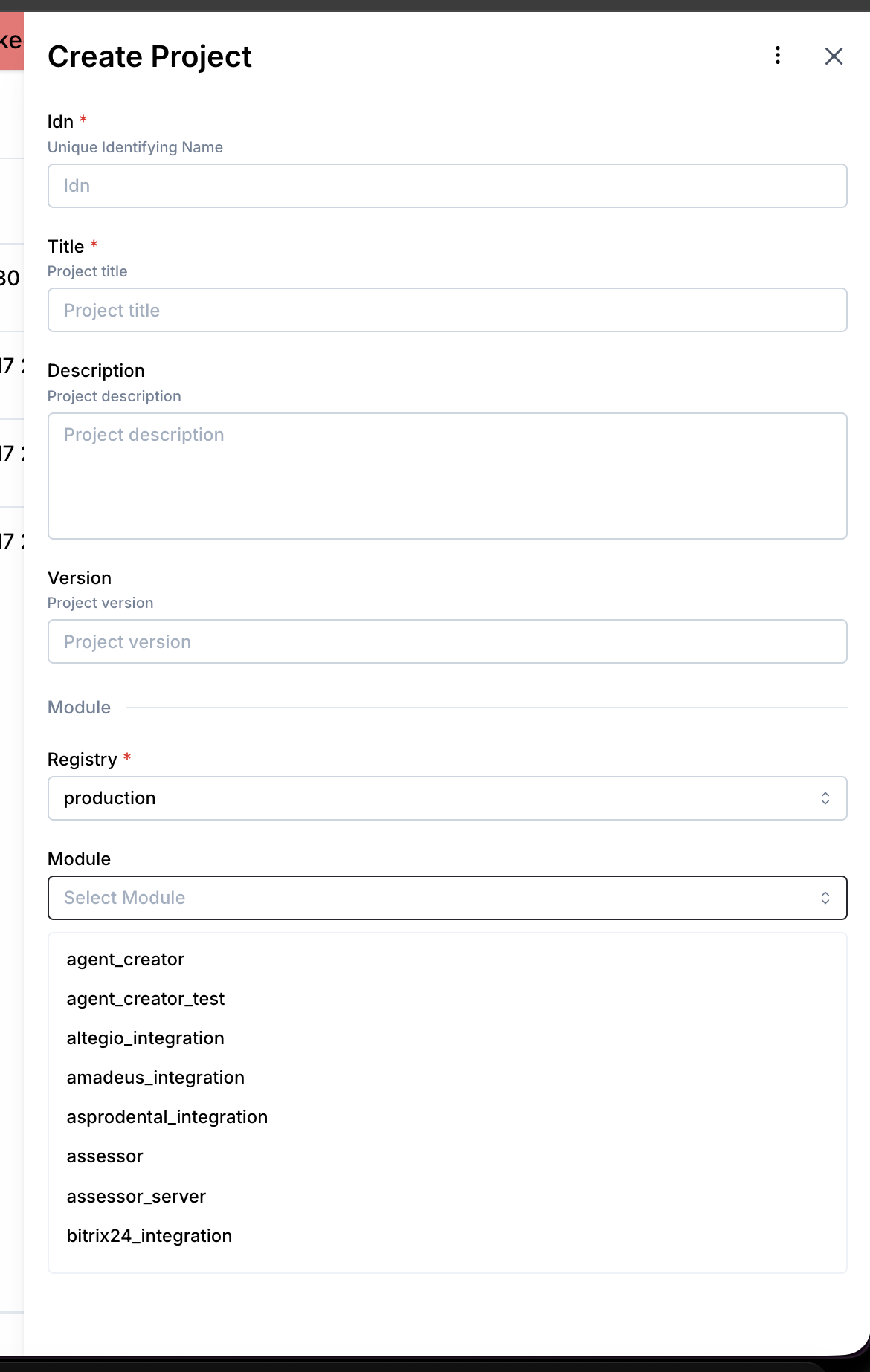 5. Leave Module version on Latest version unless support tells you to pin a specific version, then click Create.
4.1 Step 1 — Prepare Altegio Credentials
- Open the Altegio developer or marketplace application settings.
- Copy the Partner Token.
- Copy the numeric Application ID. Use the number, for example
1856, not the text application slug. - In API Access, copy the User Token if existing appointment lookup or reschedule should be enabled.
- Confirm the application has access rights for clients and appointment records in the target location.
4.2 Step 2 — Connect in Newo Platform
- Open Newo -> Builder -> Settings -> Module - AltegioIntegration.
- Set the visible attributes:
| Attribute | Required | Type | Description |
|---|---|---|---|
altegio_partner_token | ✅ | string | Partner authorization for public booking APIs and the partner part of B2B calls. |
altegio_application_id | ✅ | number | Numeric marketplace application ID used to load connected locations. |
altegio_location_id | ✅ | enum | Altegio location used for availability, booking, cancellation, reschedule, cache, and lookup. Stores labels like TwinMind (1362823); runtime extracts 1362823. |
altegio_user_token | Required for B2B lookup/reschedule | string | User authorization for CRM client search, appointment lookup, record fetch, and record update. |
altegio_availability_enabled | ❌ | enum | Enables/disables altegio_check_availability. Default: True. |
altegio_booking_enabled | ❌ | enum | Enables/disables altegio_book_appointment. Default: True. |
altegio_cancellation_enabled | ❌ | enum | Enables/disables altegio_cancel_appointment. Default: True. |
altegio_reschedule_enabled | ❌ | enum | Enables/disables altegio_reschedule_appointment. Default: True. |
altegio_existing_appointments_enabled | ❌ | enum | Enables/disables altegio_search_appointments. Default: True. |
altegio_setup_scenarios | ❌ | enum | Controls whether Altegio Canvas scenarios are published. Default: True. |
altegio_existing_appointments_search_days | ❌ | number | Number of days forward from today used for CRM appointment lookup. Default: 365. |
- Click Save + Publish All.
- On publish, the integration automatically:
- Creates/starts
altegio_connector - Initializes project attributes and metadata under
Module - AltegioIntegration - Creates a setup persona/actor for setup-time API calls
- Registers custom Altegio tools and disables conflicting standard NAF tools
- Calls marketplace location discovery when Partner Token and Application ID are present
- Updates the
altegio_location_idenum options - Auto-selects the location when exactly one location is returned
- Refreshes the service and staff cache.
- Creates/starts
How to test that everything works
Where to test
Testing can be done through the Newo conversation interface using a deployed Altegio project. The integration performs real operations in Altegio, so use a safe test location, test staff member, and test service.
8.2 Functional Smoke Test
- Setup: Publish the project and verify
altegio_connectorexists and is started. - Location discovery: Fill
altegio_partner_tokenandaltegio_application_id, publish, then verifyaltegio_location_idhas dropdown options. - Cache: Confirm
ServiceAndStaffCatalogappears in prompt data after publish/session start. - Availability: Ask for availability for a known service, staff member, and date. Verify
AvailableSlotscontains real slots. - Booking: Choose one returned slot and provide name/phone/email. Verify the booking appears in Altegio and persona
bookingscontainsrecord_idandrecord_hash. - Existing appointment lookup: Search by the same phone. Verify
ExistingBookingsshows local bookings and B2B records when User Token is configured. - Reschedule: Ask to move a Newo-created booking. Verify
RescheduleStatuscompletes and the local booking datetime is updated. - Cancellation: Ask to cancel a Newo-created booking. Verify Altegio cancels it and persona
bookingsno longer contains that record.
FAQ
Q: Does the integration use Altegio username and password? A: No. Current setup expects Partner Token, Application ID, Location, and optionally User Token. Username/password fallback is not used.
Q: Why does altegio_location_id show a label like TwinMind (1362823)?
A: SetupFlow stores human-readable enum labels for operators. Runtime code extracts the numeric ID from the parentheses.
Q: Can the AI cancel any Altegio appointment?
A: No. Automatic cancellation is limited to Newo-created public bookings with stored record_id and record_hash. Legacy CRM appointments should be handled by staff.
Q: Can the AI reschedule legacy CRM appointments found by phone lookup? A: Not automatically in the current workflow. Reschedule is designed for Newo-created bookings where the integration has stored record, service, staff, and location metadata.
Q: Why are existing appointment searches future-only?
A: ExistingClientFlow uses altegio_existing_appointments_search_days to search forward from the current date and filters out past records before storing B2B appointments.
Q: What happens if the service/staff cache is stale?
A: CacheDataFlow refreshes it automatically when empty or older than altegio_cache_range_seconds, and it can be forced with altegio_refresh_cache.
Q: What version is documented here?
A: The integration manifest and MetadataFlow report version 1.0.0; import_version.txt is v2.0.0.