TrackB Integration
What the AI can do
Summary
TrackB Integration connects the TrackB delivery tracking service with the Newo Platform.
It enables:
- Automatic delivery status lookup by tracking number during a conversation
- Strict, facts-only responses — the agent never guesses or infers delivery status
- Auto-provisioning of a delivery lookup scenario to the workflow canvas
This integration is designed for e-commerce businesses and logistics companies who need their AI agent (voice or chat) to answer customer questions about shipment status in real time.
Common use cases
- When a client asks "Where is my package?" → Agent extracts the tracking number and checks the TrackB API, then reads back the exact delivery status
- When the tracking number is missing → Agent asks the client to provide it exactly as shown in the shipment confirmation
- When the tracking API returns no data → Agent tells the client there is no information for that tracking number (no guessing)
- When the project is published → Delivery lookup scenario and intent type are automatically added to the workflow canvas
Features at a glance
| Feature | Supported | Notes |
|---|---|---|
| Delivery Status Lookup | ✅ | Real-time query to TrackB API by tracking number |
| Tracking Number Extraction | ✅ | LLM-powered extraction from conversation context |
| Empty / Not Found Handling | ✅ | Explicit message when no data is found — no speculation |
| API Error Handling | ✅ | Explicit message when TrackB API is unavailable |
| Canvas Scenario Provisioning | ✅ | Auto-adds Delivery Status Lookup scenario and intent to canvas |
| Multiple Tracking Numbers | ❌ | One lookup per conversation turn |
| Proactive Status Notifications | ❌ | On-demand only; no outbound calling for delivery updates |
| Custom Tracking Providers | ❌ | Hardwired to TrackB (track.pasts.lv); no other carriers supported |
Before You Start
Before installation:
- Active Newo Platform account with an AI agent project
- Access to the TrackB service (track.pasts.lv) — the API token is pre-configured in the integration
No external API keys are required from the customer — the integration uses a built-in access token.
Setup
Create the Newo project
If this project already exists in Newo Builder, skip this subsection and continue with the integration-specific settings below.
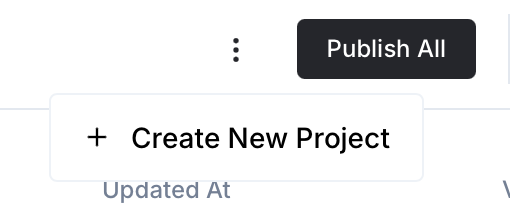
- In Newo Builder, open the projects list and click Create Project (or Create New Project from the top-right menu).
- Fill IDN and Title. The exact names do not matter; use any clear names your team will recognize.
- In Registry, choose the release channel:
- staging — the newest module fixes appear here first. Use it when you need the latest fix, but expect possible unfinished changes.
- production — the final stable version for live projects.
- In Module, select the module for this integration.
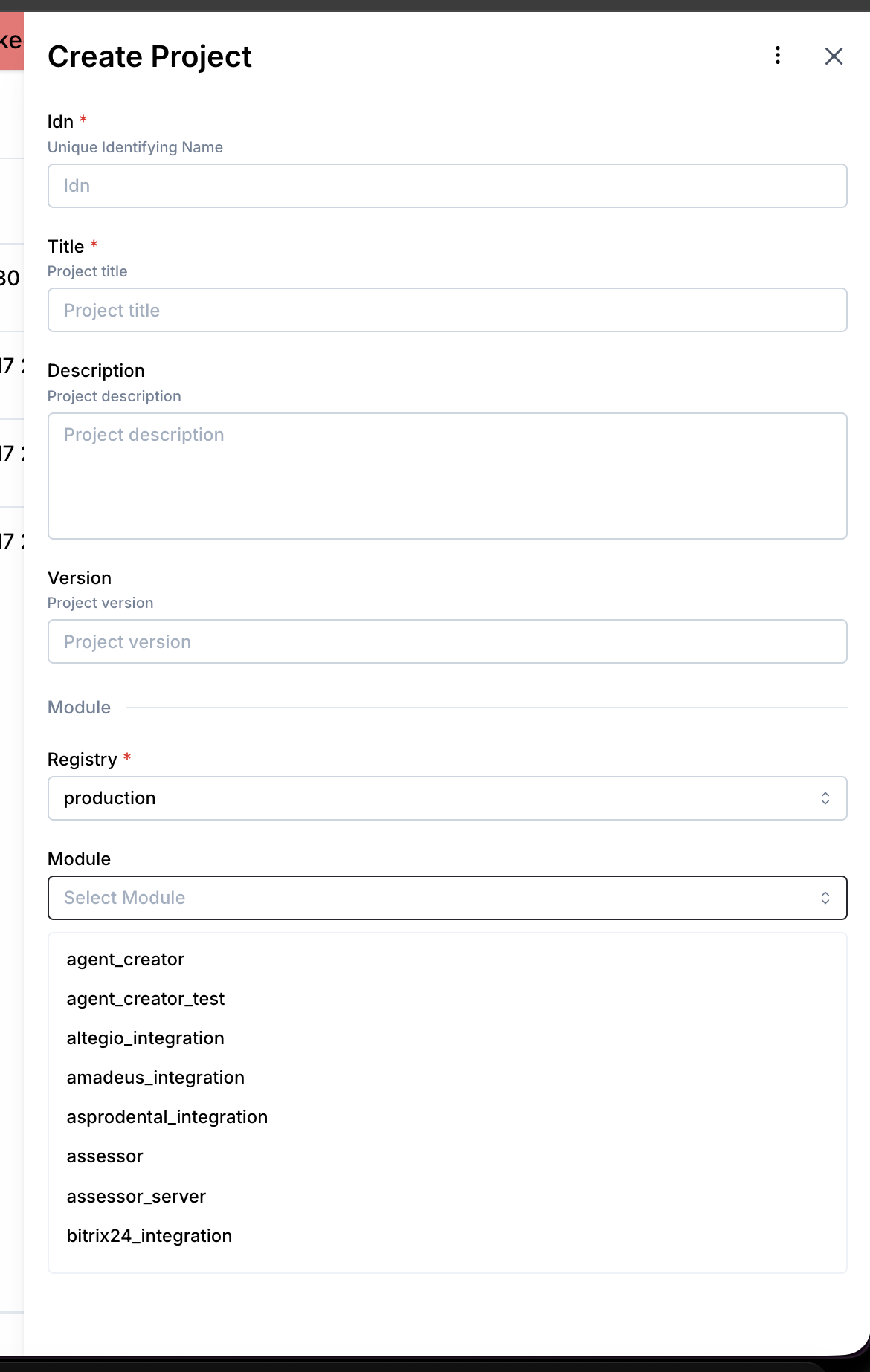 5. Leave Module version on Latest version unless support tells you to pin a specific version, then click Create.
3.1 Step 1 — Add the Integration to Your Project
- Open Newo → Projects and select your project
- Navigate to Builder / Integrations
- Find TrackB in the list and click Add
- Click Save + Publish All
On publish, the integration automatically:
- Registers the delivery status lookup tool with the ConvoAgent
- Creates the necessary connection
- Sets up all required attributes with default values
3.2 Step 2 — Configure Attributes (Optional)
Navigate to Builder / Attributes → section 12. TrackB Settings.
| Attribute | Default | Description |
|---|---|---|
trackb_setup_scenarios | True | If enabled, automatically adds the Delivery Lookup scenario and intent to the workflow canvas on publish |
trackb_override_agent_attributes | True | If enabled, applies default TrackB configuration to the ConvoAgent on setup |
These settings are optional — the integration works out of the box with defaults.
3.3 Step 3 — Verify Canvas Setup
After publishing:
- Open Builder / Canvas in your project
- You should see a new scenario: "Delivery Status Lookup"
- You should see a new intent: "Delivery Status Lookup" (triggered when a user asks about a shipment)
If the scenario is missing, ensure trackb_setup_scenarios is set to True and re-publish the project.
3.4 Step 4 — Test the Integration
Open the Newo conversation interface (chat or voice channel) and test with:
-
Happy path: "Where is my package? Tracking number: ABC123" → Agent should respond with the current delivery status from TrackB
-
Missing tracking number: "Where is my package?" → Agent should ask the client to provide the tracking number exactly as shown in the shipment confirmation
-
Unknown tracking number: Provide a non-existent tracking number → Agent should say there is no information for that tracking number (without guessing)
4. How It Works
4.1 Delivery Status Lookup — End-to-End
1. Customer asks about a delivery
        ↓
2. ConvoAgent detects the intent
   Conditions checked:
   - Tracking number is present in the conversation
   - Agent has explicitly promised to check the status
        ↓
3. DeliveryStatusFlow activates
   - Extracts the tracking number from the conversation using AI
   - If no valid tracking number → asks user to provide it → stops
        ↓
4. TrackB API is called
   GET https://track.pasts.lv/api/v1/consignment/tracking?id={tracking_number}
        ↓
5a. API returns data
    → Agent reports only the facts present in the response
    → No invented statuses or guesses
        ↓
5b. API returns empty / not found
    → Agent says: "No delivery information for this tracking number"
        ↓
5c. API call fails
    → Agent says: "Unable to find delivery information"
4.2 Strict Response Policy
The agent is configured to never speculate about delivery status:
- Does not say "your package may be delayed" unless the API explicitly says so
- Does not say "it seems to be delivered" unless the API explicitly says so
- Only reports what is explicitly present in the TrackB API response
This prevents misinformation and maintains customer trust.
FAQ
Q: Does the customer need to provide an API key? A: No. The TrackB integration uses a pre-configured access token. No setup on the TrackB side is required from the customer.
Q: What happens if the customer doesn't say the tracking number? A: The agent will ask them to provide the tracking number exactly as shown in their shipment confirmation. The lookup will not proceed without it.
Q: Can the agent check multiple tracking numbers in one conversation? A: The agent handles one tracking number lookup per conversation turn. For multiple shipments, the customer needs to ask again.
Q: What does "facts only" mean in practice? A: The agent will only read back what the TrackB API explicitly returns — for example, "Your package is in transit, last scanned at Riga sorting facility on March 15." It will never add interpretations like "it looks like it might be delayed."
Q: What if the scenario doesn't appear in the canvas after publishing?
A: Check that trackb_setup_scenarios is True in the attributes. Re-publish the project. If the issue persists, contact support.
Q: Which carrier or postal service does TrackB support? A: TrackB (track.pasts.lv) is a Latvian parcel tracking service. It aggregates tracking data for shipments handled through supported Latvian and regional carriers. For other carriers, a different integration would be needed.