ServiceTitan Integration
What the AI can do
Summary
ServiceTitan Integration connects ServiceTitan (field service management platform for HVAC, plumbing, and electrical businesses) with Newo Platform.
It enables:
- Checking real-time dispatch capacity and presenting available time windows to callers
- Creating bookings that appear on the company's Calls screen for dispatcher action
- Looking up existing customers by phone number for returning callers
- Automatic LLM-powered matching of service requests to business units (HVAC, Plumbing, Electrical)
- Loading and caching business units and job types on session start
- Auto-configuring conversation canvas with service call booking and cancellation scenarios
- OAuth2 client credentials authentication with automatic token refresh on 401
This integration is designed for home services businesses (HVAC, plumbing, electrical contractors) who need an AI receptionist to handle incoming calls, check availability, and create service bookings through voice or chat.
Common use cases
- When a caller requests a service → Agent identifies the issue, checks dispatch capacity, and creates a booking
- When a caller asks about available times → Agent queries ServiceTitan dispatch capacity filtered by business unit
- When a returning customer calls → Agent looks up their profile by phone number
- When a caller wants to cancel or reschedule → Agent transfers to a human manager
- When a caller asks about job status → Agent collects details and transfers to team member
Features at a glance
| Feature | Supported | Notes |
|---|---|---|
| Check Dispatch Availability | ✅ | By date range and business unit via Dispatch API |
| Create Booking | ✅ | With auto customer creation, appears on Calls screen |
| Customer Lookup | ✅ | Search by phone number via CRM API |
| LLM Service Classification | ✅ | Maps service request → business unit via Gemini Gen() |
| Static Data Sync | ✅ | Business units + job types loaded on session start |
| Canvas Auto-Setup | ✅ | Booking + cancellation + job status scenarios and intents |
| Multi-Business-Unit Support | ✅ | LLM resolves service type → correct business unit |
| Cancellation | ❌ | No API for booking cancellation — transfers to manager |
| Reschedule | ❌ | No direct reschedule — transfers to manager |
| Job Status Lookup | ❌ | Intent defined, but transfers to manager (API not wired) |
| Payment Processing | ❌ | Not implemented |
Before You Start
Before installation:
- Active ServiceTitan account with API access enabled
- Client ID and Client Secret from the ServiceTitan Developer Portal (environment-specific)
- App Key (ST-App-Key) from the ServiceTitan My Apps portal (environment-agnostic)
- Tenant ID from your ServiceTitan account
- At least one Business Unit configured in ServiceTitan (e.g., HVAC, Plumbing, Electrical)
Setup
Create the Newo project
If this project already exists in Newo Builder, skip this subsection and continue with the integration-specific settings below.
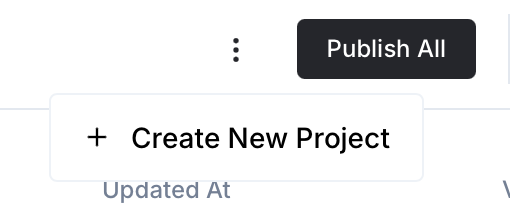
- In Newo Builder, open the projects list and click Create Project (or Create New Project from the top-right menu).
- Fill IDN and Title. The exact names do not matter; use any clear names your team will recognize.
- In Registry, choose the release channel:
- staging — the newest module fixes appear here first. Use it when you need the latest fix, but expect possible unfinished changes.
- production — the final stable version for live projects.
- In Module, select the module for this integration.
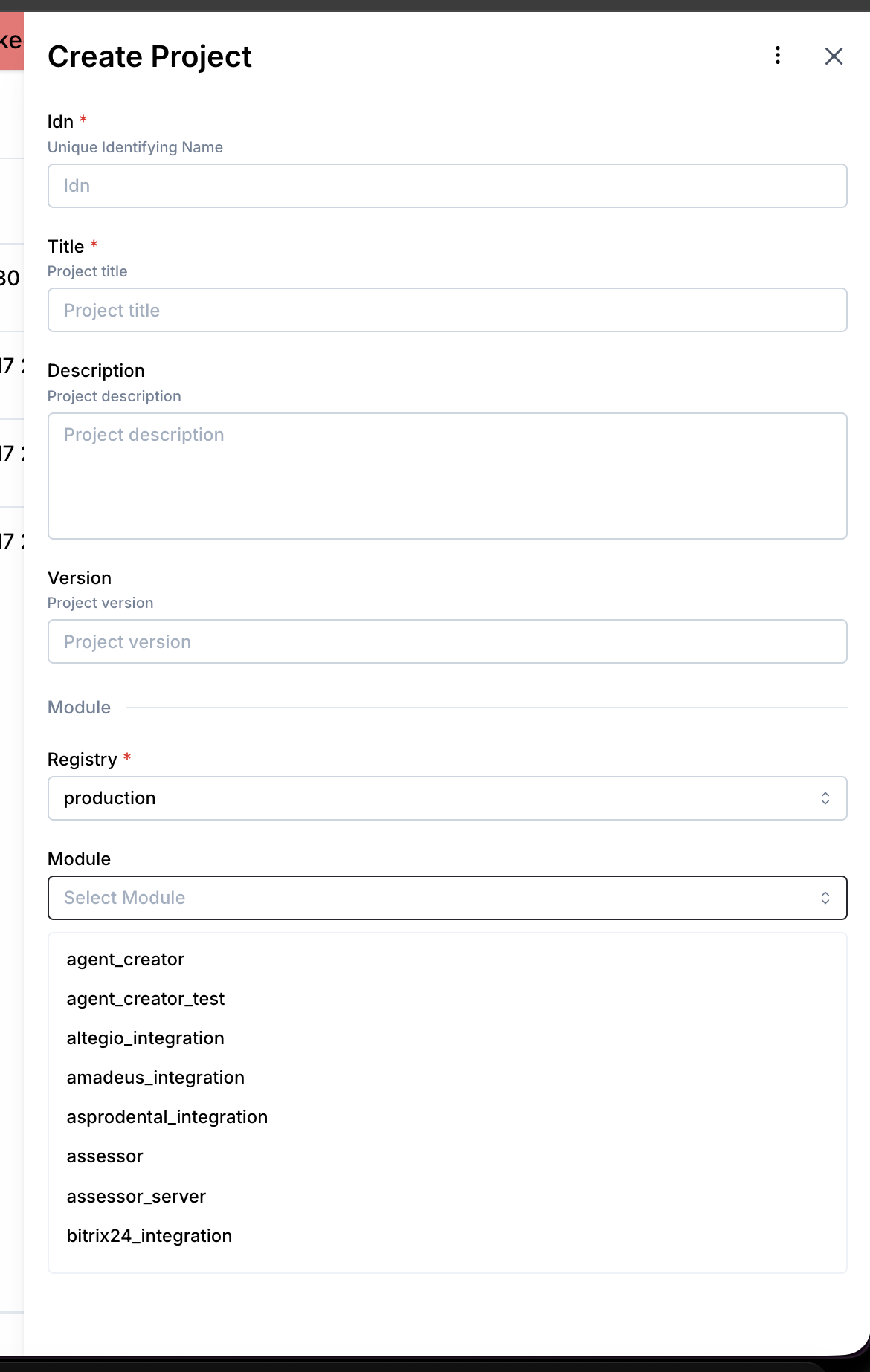 5. Leave Module version on Latest version unless support tells you to pin a specific version, then click Create.
3.1 Step 1 — Generate Credentials in ServiceTitan
- Log in to the ServiceTitan Developer Portal (https://developer.servicetitan.io)
- Navigate to My Apps → create or select your application
- Copy the App Key (this is environment-agnostic)
- Go to your application's Credentials section
- Select the environment (Production or Integration/Sandbox)
- Copy the Client ID and Client Secret
- Note your Tenant ID from the ServiceTitan account settings
3.2 Step 2 — Connect in Platform
- Open Newo → Projects
- Set the following attributes in Builder / Attributes:
| Attribute | Required | Default | Description |
|---|---|---|---|
servicetitan_client_id | ✅ | — | OAuth2 Client ID (environment-specific) |
servicetitan_client_secret | ✅ | — | OAuth2 Client Secret (environment-specific) |
servicetitan_app_key | ✅ | — | App Key (ST-App-Key, environment-agnostic) |
servicetitan_tenant_id | ✅ | — | Tenant ID identifying the account |
servicetitan_base_url | ❌ | https://api.servicetitan.io | API base URL. Sandbox: https://api-integration.servicetitan.io |
servicetitan_auth_url | ❌ | https://auth.servicetitan.io/connect/token | OAuth2 token endpoint. Sandbox: https://auth-integration.servicetitan.io/connect/token |
servicetitan_booking_source | ❌ | AI Receptionist | Source label for bookings on Calls screen |
servicetitan_enable_slot_check | ❌ | True | Enable dispatch availability checking |
servicetitan_enable_booking | ❌ | True | Enable booking creation |
servicetitan_setup_scenarios | ❌ | True | Auto-add booking/cancellation scenarios to canvas |
servicetitan_override_agent_attributes | ❌ | True | Override SuperAgent attributes on publish |
servicetitan_default_business_unit_id | ❌ | — | Fallback business unit ID when LLM resolution fails |
- Click Save + Publish All
- On publish, the SetupFlow automatically:
- Prepares the connections for ServiceTitan API and token endpoint
- Sets all customer attributes with metadata
- Registers booking and availability tools on ConvoAgent
- Injects availability and booking payload schemas
- On first conversation, StaticDataFlow loads business units and job types from ServiceTitan
How to use the integration
4.1 How the Integration Works
The integration uses ServiceTitan Dispatch API for availability, CRM API for customers and bookings, and Settings/JPM APIs for reference data. Service requests are classified to the correct business unit via LLM.
- A Trigger is a system event that starts a flow
- An Action is the API operation performed in ServiceTitan
Canvas scenarios
When servicetitan_setup_scenarios is True (default), Publish All automatically adds:
Scenarios:
- "Scheduling Service Call via Agent" (
servicetitan_booking_scenario) — 8-step guided booking flow with code-phrases for availability check and booking creation
Intent Types:
- "[L] Service Call Request via Agent" (
servicetitan_booking_intent) — caller wants to schedule service - "[T] Job Status Inquiry" (
servicetitan_job_status_intent) — caller asking about existing job - "[T] Cancellation or Reschedule Request" (
servicetitan_cancellation_intent) — caller wants to cancel/reschedule → transfer to manager
These can be customized on the canvas after setup — modified scenarios are not overwritten.
Where to test
Testing can be done through the Newo conversation interface (chat or voice). A mock server is available at mocks/servicetitan/routes.yaml for testing without real API credentials.
How to test that everything works
To test the integration:
- Setup: Publish the project and verify connectors are created
- Static Data: Start a conversation — verify
servicetitan_business_unitsandservicetitan_job_typesare populated - Availability: Ask about a service — verify dispatch capacity returned with time windows
- Booking: Complete a booking — verify booking created in ServiceTitan Calls screen
- Cancellation: Ask to cancel — verify agent transfers to manager
If no action occurs:
- Ensure credentials are set (
servicetitan_client_id,servicetitan_client_secret,servicetitan_app_key) - Verify
servicetitan_tenant_idis correct - Confirm
servicetitan_base_urlpoints to correct environment (production vs sandbox) - Check feature flags (
servicetitan_enable_slot_check,servicetitan_enable_booking) - Re-publish after configuration changes
- Verify
servicetitan_business_unitsis populated (check logs for StaticDataFlow)
Note: This integration creates real bookings in ServiceTitan. Bookings appear on the Calls screen and are visible to dispatchers.
FAQ
Q: What is the difference between a Booking and a Job in ServiceTitan? A: A Booking is an incoming inquiry/request that appears on the Calls screen. A Job is a confirmed work order on the dispatch board, created by a dispatcher from a booking. The AI receptionist creates Bookings, not Jobs directly.
Q: How does the agent determine which business unit to query for availability?
A: The _resolveBusinessUnitSkill uses Gemini LLM (Gen, temperature=0.1) to classify the caller's service request against the loaded list of business units and job types. For example, "my AC isn't cooling" → HVAC. If classification fails, it falls back to servicetitan_default_business_unit_id.
Q: Why can't the agent cancel bookings? A: ServiceTitan's API does not provide an endpoint for cancelling bookings. Cancellation/rescheduling is handled by human dispatchers. The agent recognizes cancellation requests and transfers the caller to a manager.
Q: How are tokens managed?
A: OAuth2 client credentials flow. Tokens are valid for 15 minutes with no refresh token. On 401 responses, UtilsFlow automatically re-authenticates and retries (up to 3 times). Tokens are cached in servicetitan_access_token customer attribute.
Q: When is static data (business units, job types) loaded?
A: On every session_started event (start of each conversation). Data is cached — if already loaded, the API call is skipped. To force reload, clear servicetitan_business_units and servicetitan_job_types attributes.
Q: Can I connect to the ServiceTitan Sandbox?
A: Yes. Set servicetitan_base_url to https://api-integration.servicetitan.io and servicetitan_auth_url to https://auth-integration.servicetitan.io/connect/token. Use sandbox Client ID and Client Secret.
Q: What customer information is needed for booking? A: The caller's phone number is required for customer lookup/creation. Full name is used when creating a new customer. The booking summary is generated from the conversation context describing the service needed.